Your profile and settings
Profile & settings is your own corner of the app. Everything in it applies to you and nobody else: change something here and your colleagues see no difference.
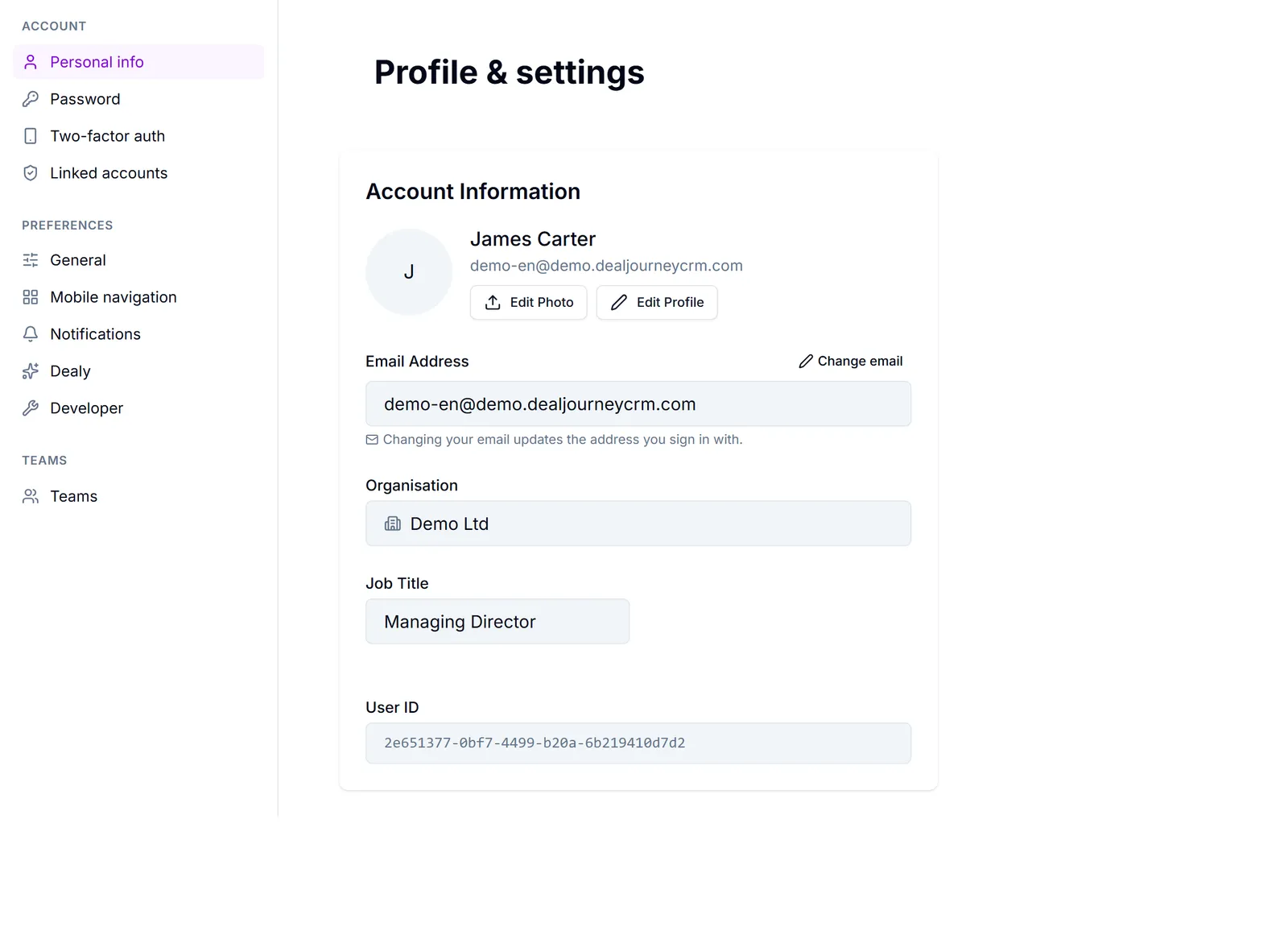
Open it from your avatar in the top-right corner. The page has a left rail with three groups.
Account — who you are and how you sign in: Personal info, Password, Two-factor auth and Linked accounts.
Preferences — how the app behaves for you: General (language, date and time format, where you land when you sign in), Mobile navigation, Notifications and Dealy.
Teams — which teams you belong to. You can see them here; an administrator decides who is in them.
Your settings versus the company's settings. This is the distinction people trip over. Anything that would change what a *colleague* sees — custom fields, pipeline stages, who has access to what, the company logo, the company's default country and currency — is not here. That lives in the admin area and needs an administrator: Administration. The rule of thumb is that if changing it would surprise someone else, it is not in your profile.
Each panel is deep-linkable, so a colleague can send you a link that opens straight on the right one.
In this section
Change your name, photo and contact details
Update what colleagues see about you, and change the address you sign in with
Change your password
Set a new password, or send yourself a reset link if you cannot remember the old one
Sign in with an emailed code
Open your existing workspace without entering or creating a password
Finish an interrupted signup
Resume email verification or retry workspace setup without replacing your existing password
Turn on two-factor authentication
Add a one-time code from an authenticator app to your sign-in
Choose when you are signed out for inactivity
Stay signed in, or have DealJourney sign you out after a period without activity
Choose which notifications you get
Decide event by event whether you are told in-app, by email or by SMS
Catch up on product updates
Find recent improvements, read the full articles and choose whether new editions open automatically
Change your language, date and time format
Pick the language you work in and how dates, times and weeks are written for you
Dark mode, table density and where you land
Small preferences that change how the app looks and behaves for you
Using DealJourney on your phone
Install it to your home screen and choose the shortcuts in the bottom bar
Choose your call sound and how you join calls
Pick and preview the sound a Rooms call rings with, set its volume, and choose whether you join with microphone and camera on
Common questions
- How do I add my birthday?
- How do I make my account more secure?
- I signed up without setting a password
- My account already exists but signup is incomplete
- I lost my phone and cannot sign in
- Why was I signed out?
- Notify me when a ticket is assigned to me
- Where can I read release notes?
- Week should start on Monday
- I want to land on activities instead of the dashboard
- Is there a mobile app?
- Start calls with the camera off