See your daily goal, streak and rank
- 1Open Momentum from the sidebar.
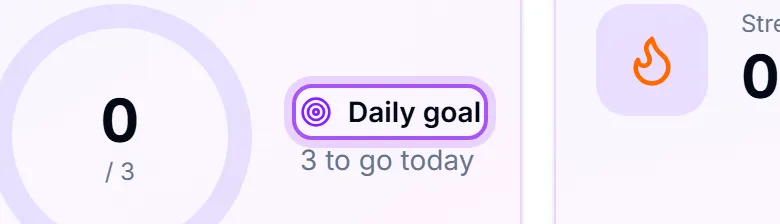
- 2The ring is Daglig mål: how many sales you still need today, or Målet er knust, hold trykket oppe! if you are already there.
- 3Rekke is consecutive days hitting that company goal. Din plassering is where you sit this week. If you are not yet on the visible board, this tile instead tells you how many more sales it takes to get there (For å nå topp {{count}}); only you see it.
The section navigation stays available while a view loads, so you can switch sections without waiting for its figures. The page layout appears at once and fills in as the numbers arrive. The activity feed loads separately from your goal and ranking, and a sale that lands while you are looking at it slides in at the top.
The challenge and duel cards list up to three of each. With none running, the card offers a button that opens the form to start one.
For the full ranking, open Resultattavle. Switch between I dag, Denne uken and Denne måneden, and between Salg and Verdi. Tap a day under Dag for dag to see that day's sales.
Sales are the core. What counts as a sale is a company setting: won or signed deals, or registered orders. See Choose what counts as a sale. Calls, meetings, emails and completed tasks can be tracked too, with team and personal targets: Choose what Momentum tracks and set your targets. For what to work on next, see See what to do next to hit today's goal.
Select any sales figure on the dashboard, or a value on the leaderboard, to see the sales it is made of.
The daily goal is company-wide. Everyone is aiming at the same number. It is set under Momentum Innstillinger, not per person.
If Momentum is not in the sidebar, it is not switched on for your company, or your role cannot see it. See Turn features on and off.
Registrer et salg opens your opportunities when Momentum counts deals, or order creation when it counts orders.
In Puls and the dashboard activity preview, sale cards show the linked customer and deal or order name when available. Select the customer name to open their card, or the deal/order name to open the sale.
Use Last inn mer to read older activity. Sales and posts share one timeline; pinned announcements stay above it without taking the place of older entries. A sale keeps its original number for that day as you page back.
For analysis, choose Rapporter in Momentum's navigation. It opens your saved reports; see Build a custom report. Reports keep their own filters and revenue basis. Opening Reports does not change the rules used to score Momentum competitions.
Var dette nyttig?