Setting up a new workspace
There is one setup guide, reachable in two places: the page itself, and a pill in the top bar that takes you back to it.
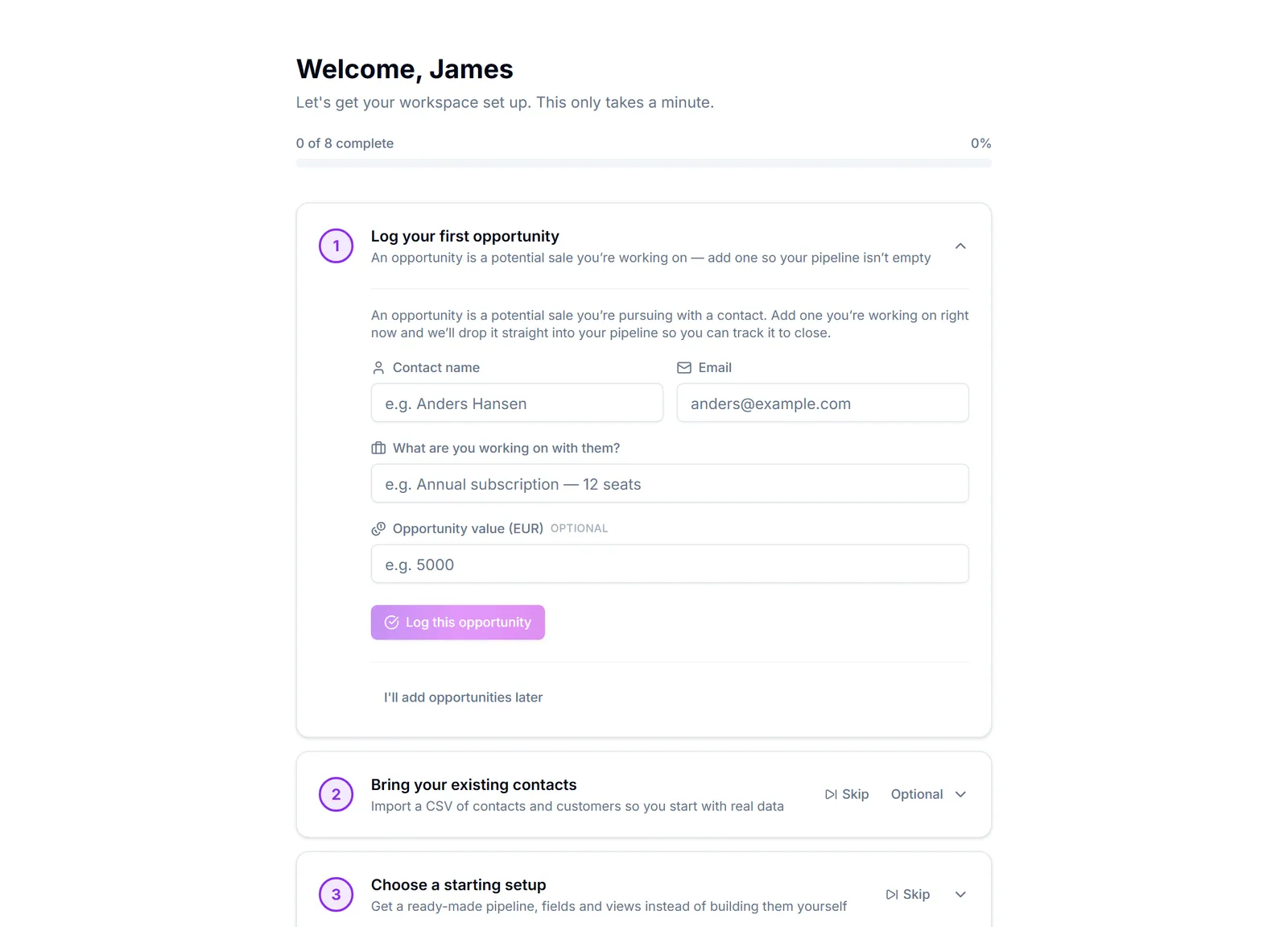
Oppsett is what you meet the first time you sign in. La oss sette opp arbeidsområdet ditt. Det tar bare et minutt. It opens the first step you have not finished, one at a time, and each step does its work in place rather than sending you somewhere else:
- Firmaprofil — Brukes på fakturaer og kundedokumenter
- Arbeidsområde-standarder — Valuta, tidssone og hvilken type virksomhet du driver
- Tilpass arbeidsområdet — Velg språk, datoformat og utseende
- Inviter teamet ditt — Legg til teammedlemmer så dere kan samarbeide
- Ta med eksisterende kontakter — Importer en CSV med kontakter og kunder slik at du starter med ekte data
- Koble til regnskapet ditt — Synkroniser kunder og fakturaer med regnskapssystemet ditt
- Logg din første mulighet — En mulighet er et potensielt salg du jobber med — legg til én så pipelinen ikke står tom
Every step can be skipped — Hopp over for nå — and Hopp over oppsettet og gå til dashbordet → leaves the whole thing. Nothing is lost: each step is a normal settings page you can come back to.
The setup pill in the top bar is the same guide, from anywhere else in the app. It sits next to the notifications bell, shows how many steps are left, and opens a short list you can jump back into. It disappears once you finish or dismiss the guide, so a half-done setup stays visible without nagging somebody who is already up and running. See Work through the setup guide.
The order that actually works: log one real deal, then bring in the contacts you already have, and only then spend time on settings, pipelines and automation.
The most common way to make a bad start is to configure custom fields, pipelines and automation before there is a single real customer in the system. Get real data in first — the shape you need becomes obvious, and you will not have to undo guesses.