Integrations
Integrations connect DealJourney to the other systems you already use. They live under Markedsplads in the sidebar, which is the authoritative list of what is available: it reflects what is actually connectable for your company right now, so it is worth looking there rather than asking whether something exists.
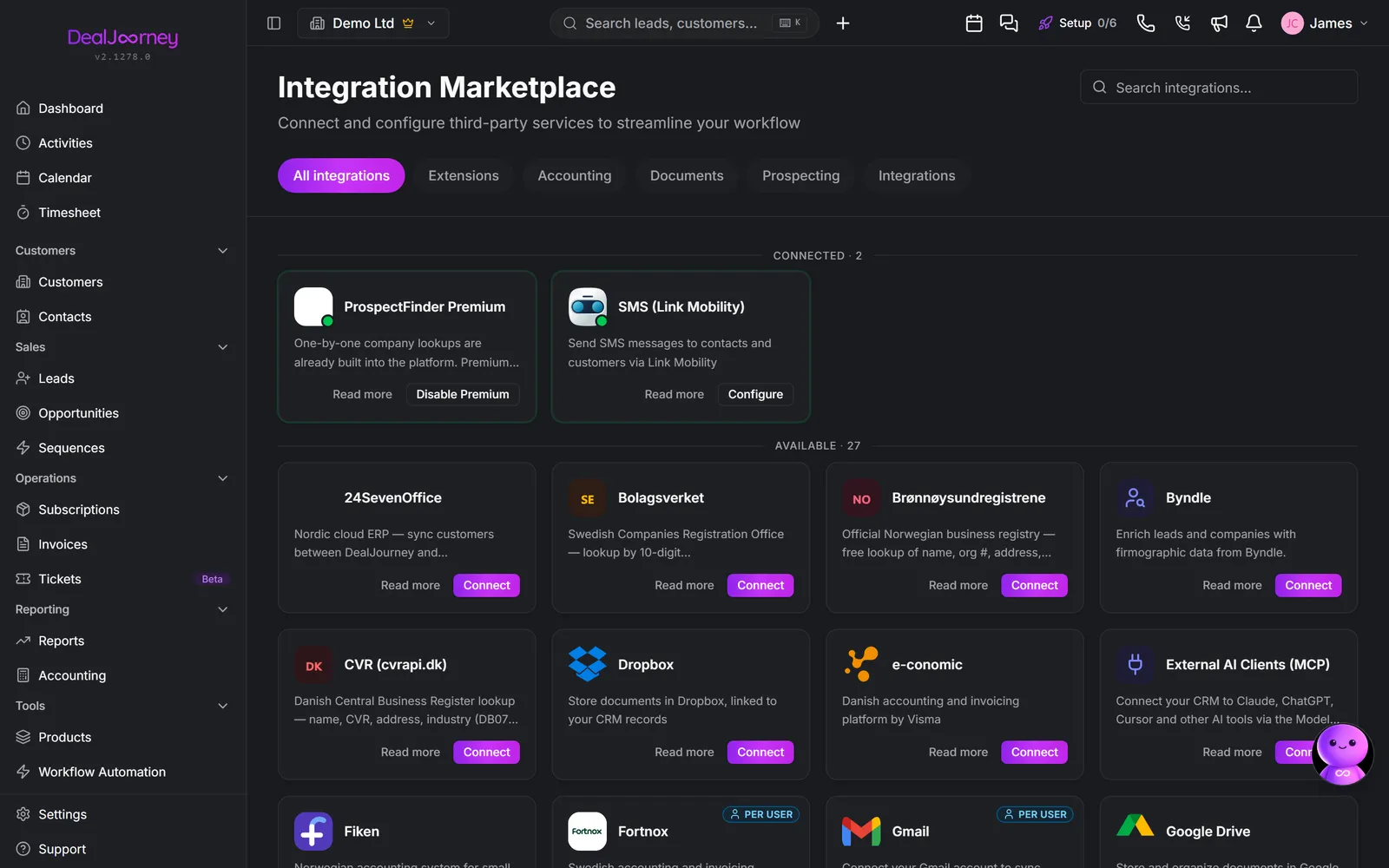
Broadly they fall into four groups:
- Accounting and ERP: the finance system that owns your invoices and payments. See "Accounting and ERP integrations".
- Email and calendar: your own Outlook or Google account, connected per person rather than per company. See "Email and calendar sync".
- Document storage: connecting a shared drive so files live alongside the records they belong to.
- Communication and productivity tools: chat, telephony, meeting transcription, and similar.
Two things worth knowing before you go looking:
- An integration being available is not the same as it being switched on. Some are off until an administrator enables them for your company, so a colleague at another firm may have something you do not.
- Some connections are yours, some are the company's. Your mailbox is yours; an accounting connection is the company's and normally set up once by an administrator. Which kind it is decides who can do the connecting.
If something you need is not there, that is worth telling us rather than working around: the list grows based on what customers ask for.
I dette afsnit
Connect an integration
Join a system up, and the configuration that has to follow before it does anything
Ask for an integration that is missing
Tell DealJourney which integration you could not find in the Marketplace
Connect and use Uni Micro
Connect your company, synchronize records and time, and issue invoices through Uni Micro
Connect and use 24SevenOffice
Connect your 24SevenOffice company, sync customers, contact persons and products, and send won deals as sales orders
Set up Telavox call logging and transcription
Log every Telavox call on the right record, with its recording, a transcript and an AI summary
Play a recorded Telavox call
Listen to a call from its timeline while the recording remains available in Telavox
Accounting and ERP integrations
Keep customers, invoices and payments consistent between the CRM and your finance system
Send DealJourney updates to Slack
Post deals, tickets and scheduled reports into a Slack channel, and decide which of them are actually worth interrupting people for
Connect Zapier
Send DealJourney changes to other tools, and let them create records back, without anyone writing code
Connect Jira
Send a support ticket to Jira, and let the ticket follow the Jira issue as your engineers move it
Connect Fortnox
Connect your Fortnox company so customers stay in step and invoices go to Fortnox with their paid status coming back
Connect PowerOffice Go and choose which system wins
Connect PowerOffice Go, find your way around its settings, and decide whether PowerOffice or DealJourney is the source of truth per record type
Connect Monitor ERP
Connect your own Monitor ERP server and bring your Monitor customers into DealJourney (Alpha)
Connect Kvalitetskontroll
Connect Kvalitetskontroll with a Personal Access Token and bring customers, projects, approved site hours and machine use into DealJourney
Connect TelecomX and see your team's calls
Connect TelecomX with an API token to bring in every call your team makes and takes, matched to the right person, and see calls, connected calls and talk time per person
Keep Plecto updated with DealJourney data
Choose datasets and tenant-specific fields, load history, and keep Plecto updated automatically.
Test a new module before it is released
Join a beta to use an unreleased module free while it is being built, in exchange for telling us how it goes
Import a full invoice history from the accounting system
Bring years of existing invoices into the CRM in the background, a page at a time, and continue an import that stopped
Almindelige spørgsmål
- How do I connect an integration?
- How do I ask for an integration?
- Send an invoice through Uni Micro
- See when a 24SevenOffice invoice is paid
- My colleague's calls are logged but mine are not
- Why is a call recording unavailable?
- Do you support e-conomic?
- Can an automation post to Slack?
- Does DealJourney work with Zapier?
- How do I connect Jira?
- Why are invoices not marked as paid from Fortnox?
- What happens when a customer is changed in both PowerOffice and DealJourney?
- How do I connect Monitor ERP?
- Why are my Kvalitetskontroll hours not showing?
- Why are someone's calls not counted?
- How do I automatically sync Plecto?
- Can we try a feature before it is released?
- How long does importing invoices take?